Weather Integration for Inspectors
Live weather data at your fingertips. Know conditions before you arrive. Document weather automatically in your reports. Plan your schedule around storms.
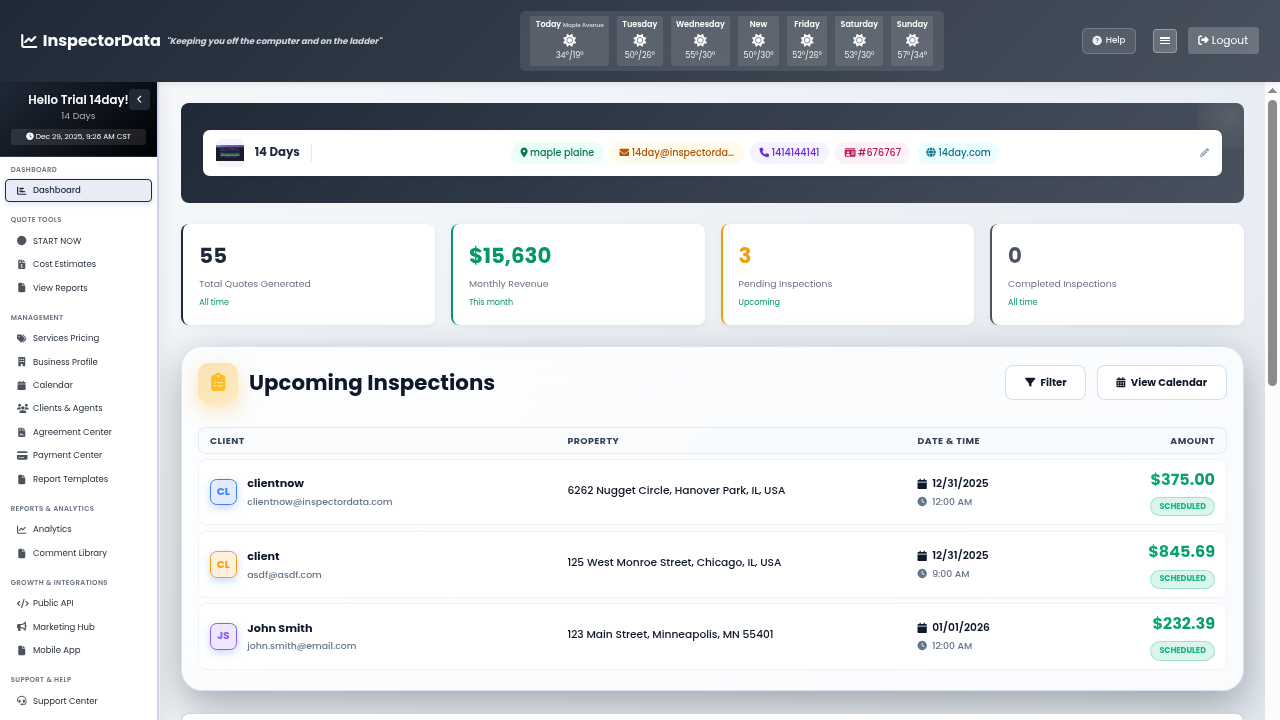 Live Conditions
Weather Affects Every Inspection
You can't properly inspect a roof in the rain or test AC when it's 40 degrees outside.
Surprise Weather
Show up to an inspection and discover it's raining. Now you can't safely inspect the roof or test exterior components.
Manual Documentation
Typing weather conditions into every report takes time. Temperature, humidity, precipitation - it adds up across hundreds of reports.
Scheduling Conflicts
Bad weather means rescheduling. Without forecast visibility, you're constantly reacting instead of planning ahead.
Weather Data Built Into Your Workflow
See current conditions and forecasts right on your dashboard. Check weather at each property address before you leave. Get alerts when conditions might affect scheduled inspections.
- Property-Specific Forecasts - Weather at the actual inspection address, not just your zip code.
- 7-Day Outlook - Plan your week knowing what weather is coming.
- Weather Alerts - Get notified when storms may impact scheduled inspections.
- Historical Data - See what weather was like on past inspection dates.
Weather Features
Comprehensive weather intelligence for inspection professionals.
Current Conditions
Temperature, humidity, wind speed, and precipitation - live data for any address.
Extended Forecast
See hourly and daily forecasts. Plan inspections when conditions are optimal.
Severe Weather Alerts
Get notified about storms, extreme temperatures, or conditions that affect inspections.
Auto-Documentation
Weather conditions automatically included in your inspection reports.
Weather History
Access historical weather data for any past inspection date. Useful for follow-ups.
HVAC Testing Guidance
Know when outdoor temps allow proper AC or heating system testing.
Weather in Your Reports - Automatically
Stop typing weather conditions manually. Our system captures the actual weather at the property during your inspection and includes it in your report. Professional documentation with zero extra effort.
- Automatic Capture - Weather recorded when you start the inspection.
- Report Integration - Conditions appear in the report header automatically.
- Limitation Notes - System suggests appropriate limitations based on conditions.
- Editable - Override automatic data if conditions change during inspection.
Plan Around the Weather
See weather forecasts right on your calendar. Spot potential problems before they become emergencies. Move inspections proactively instead of scrambling to reschedule.
- Calendar Weather Icons - See conditions at a glance for each scheduled inspection.
- Conflict Detection - Warnings when weather may impact scheduled inspections.
- Reschedule Suggestions - System suggests better dates based on forecasts.
- Client Notifications - Automatically notify clients when weather requires rescheduling.
Built by InterNACHI Certified Inspectors
We've inspected in Minnesota winters and Arizona summers. We built weather features that matter to inspectors - not fancy graphics, but practical tools that save time and reduce liability.
Never Be Caught in the Rain Again
Plan ahead. Document automatically. Free 30-day trial.
Frequently Asked Questions
How does weather integration work in inspection reports?
InspectorData automatically captures weather conditions (temperature, humidity, precipitation, wind speed) at the time and location of your inspection and includes them in your report header. No manual entry required.