Payment Processing for Home Inspectors
Accept credit cards, send professional invoices, and track payments - all in one place. Get paid faster with integrated payment processing.
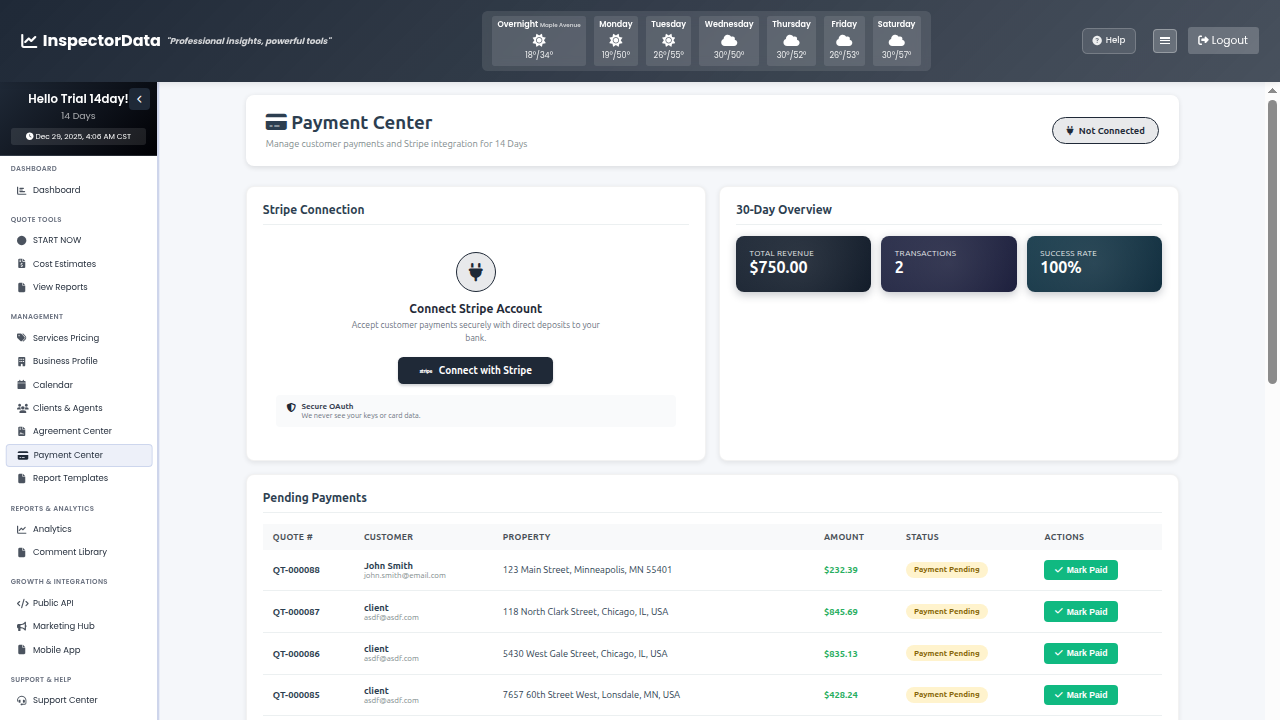 Secure Payments
Chasing Payments Wastes Your Time
You did the work. You delivered the report. Now you're waiting to get paid.
Slow Check Payments
Waiting for checks in the mail means cash flow problems. Some customers "forget" to send them for weeks.
Manual Invoicing
Creating invoices in Word or Excel takes time. Tracking who's paid and who hasn't is a spreadsheet nightmare.
Awkward Collection Calls
Calling customers to remind them to pay is uncomfortable. You're an inspector, not a collections agent.
Get Paid Before You Leave the Property
Collect payment at the inspection. Or send an invoice with a "Pay Now" button that lets customers pay online. Credit cards processed securely through Stripe. Money in your account within days, not weeks.
- On-Site Card Payments - Swipe or tap cards right at the property. Done before you drive away.
- One-Click Invoice Payments - Customers click "Pay Now" and enter their card. No accounts to create.
- Automatic Receipts - Payment confirmation sent instantly to customer and you.
- Secure Stripe Processing - Bank-level encryption. PCI compliant. Your customers' data is safe.
Complete Payment Management
Everything you need to handle the financial side of your inspection business.
Professional Invoices
Branded invoices generated automatically from quotes. Your logo, your details, professional appearance.
Payment Reminders
Automatic email reminders for unpaid invoices. Stop chasing payments manually.
Credit Card Fee Pass-Through
Optionally add processing fees to customer total. Stop absorbing credit card costs.
Payment Tracking
See paid, unpaid, and overdue invoices at a glance. Know exactly where your money stands.
Financial Reports
Export payment data for your accountant. Tax time becomes much easier.
Deposit Collection
Collect deposits at booking. Reduce no-shows and secure your schedule.
Buy Now, Pay Later with Affirm
Customers can split inspection costs into installments through Affirm financing, while you get paid in full immediately - no waiting on their payment plan.
Payments Connected to Your Workflow
Payment processing isn't separate software - it's built into everything. Quotes become invoices. Invoices become payments. Payments link to client records. Everything flows together.
- Quote to Invoice - One click converts accepted quotes into invoices.
- Invoice with Report - Send invoice attached to the inspection report.
- Client Payment History - See all payments from each client on their profile.
- Revenue Analytics - Track monthly revenue, average invoice value, and payment timing.
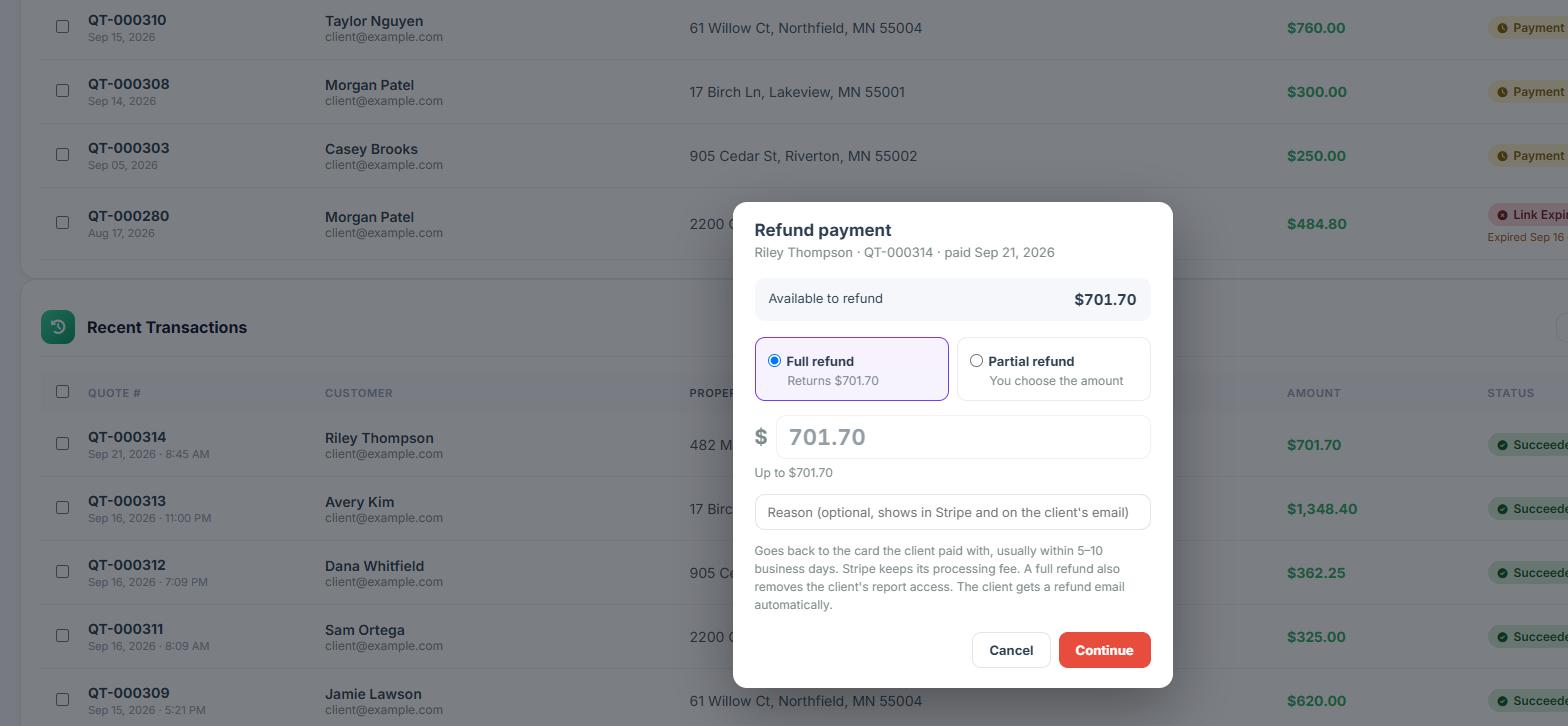
Refund a Payment in Two Clicks
Open Actions on any paid row in Recent Transactions and choose Refund. Pick a full refund or a partial refund and type an amount up to what was paid, with an optional reason that shows in Stripe and on the client's email.
- Money Back Fast - Returns to the card the client paid with, usually within 5 to 10 business days.
- Automatic Refund Email - The client gets a refund confirmation without you sending anything.
- Clear Status - The row shows Refunded or Partially Refunded, and the client's receipt page says Payment Refunded.
- Report Access Note - A full refund also removes the client's report access. Stripe keeps its processing fee.
Chargeback Alerts
Know the moment a client disputes a card payment, not weeks later.
Instant Email Alert
If a client disputes a card payment, you get an email right away with the amount, the reason, and the response deadline.
Flagged in Payment Center
The payment is flagged red in Payment Center with a link to respond in Stripe.
Payments at a Glance
Four charts sit at the top of Payment Center: revenue over the last 12 weeks net of refunds, payments per month with hover counts, a collection status donut of paid vs. pending vs. expired links, and average days from payment link sent to paid.
- Hide a Pending Payment - Use Actions > Hide from Pending, or tick several and Hide Selected. They wait under a Hidden tab and come back with one click.
- Optional Tips - Clients can choose to add a gratuity on the payment page. 100% goes to the inspector.

Export to Your Books
Export a CSV of every payment with tips, refunds, and net amounts, or use Export for QuickBooks to download four files in QuickBooks Online's own import layout.
Built by InterNACHI Certified Inspectors
We've chased our share of late payments. We built a system that gets you paid faster so you can focus on inspecting, not invoicing.
Get Paid Faster Starting Today
Stop chasing payments. Free 30-day trial.
Frequently Asked Questions
How do I accept payments with InspectorData?
InspectorData integrates secure payment processing so clients can pay online via credit card, debit card, or ACH bank transfer. Payments can be collected at booking, before the inspection, or after report delivery.