 InspectorData
Switching from Horizon to InspectorData
Written by Lisa Meine, InterNACHI Master Inspector (CMI #47330) · Updated November 1, 2026
Horizon (Carson Dunlop) shuts down December 15, 2026.
Carson Dunlop announced on July 27, 2026 that it is retiring Horizon on December 15, 2026 (checked November 1, 2026). Every Horizon inspector has to move before that date. This page covers what to save first, what you will recognize in InspectorData, and how we help you move.
Switching just got easier
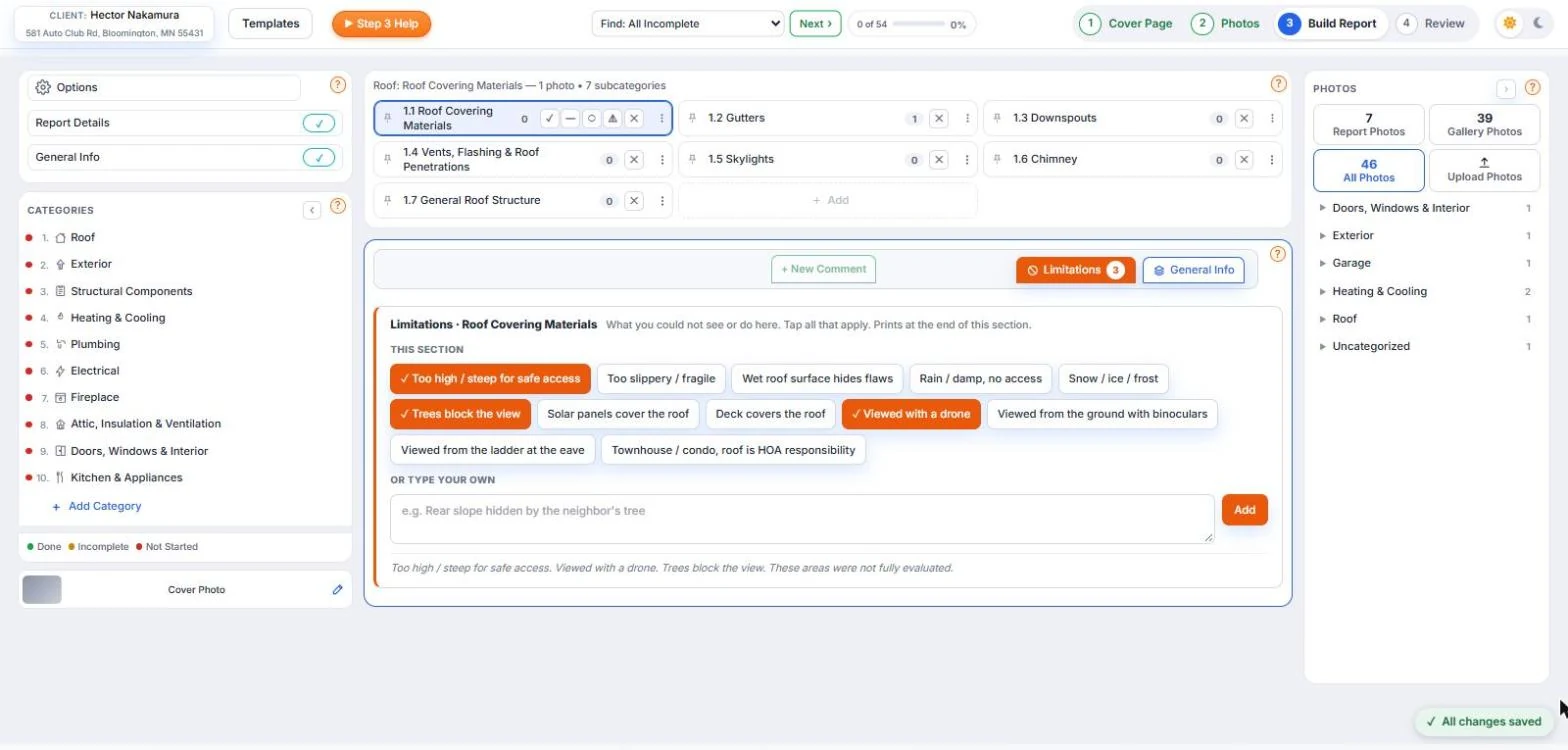
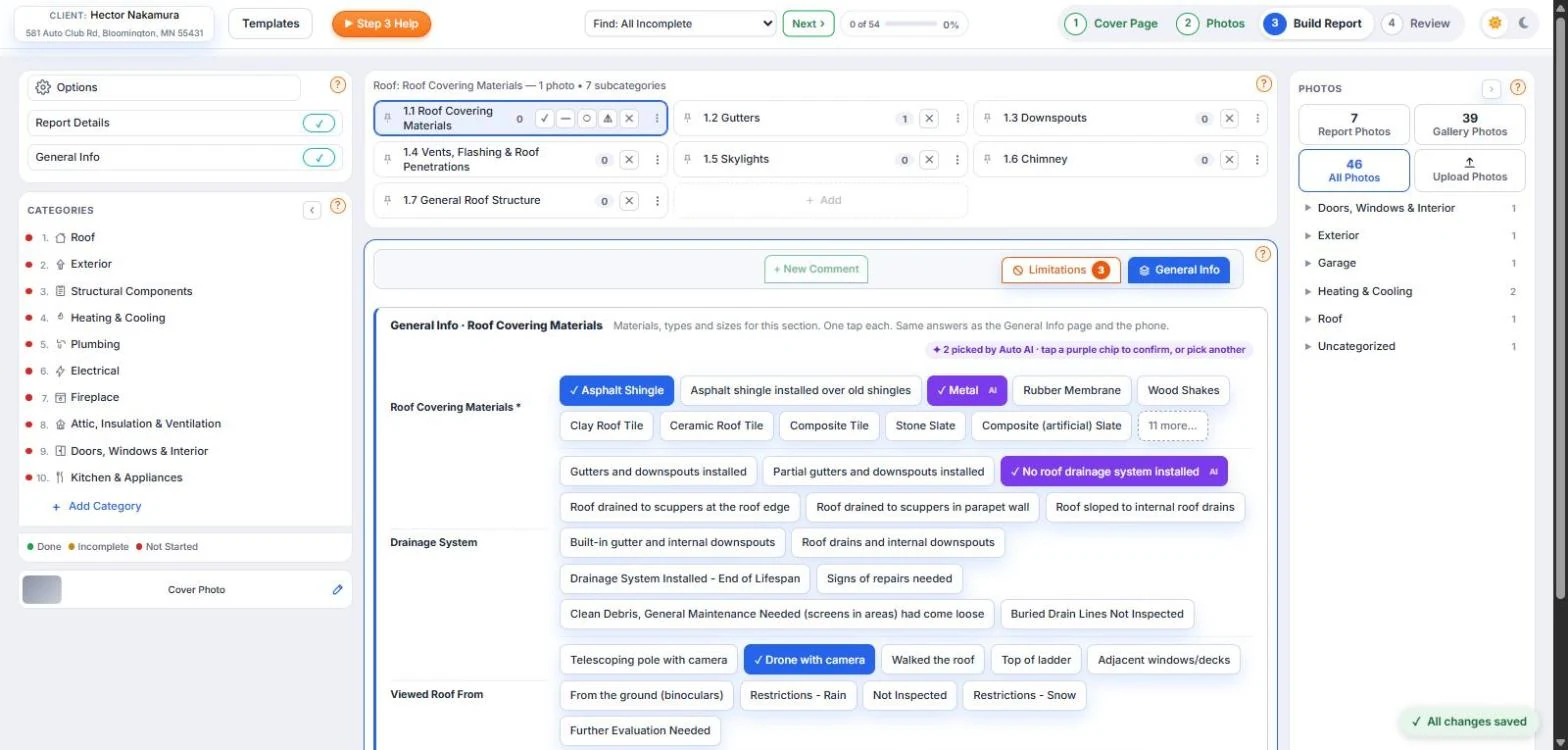
The features you rely on in Horizon, with a modern look and faster report writing. Limitations and General Info sit in every section, and the categories down the side show exactly where you are in the report.
What happens on December 15
- Horizon is retired on December 15, 2026. Carson Dunlop is refocusing on training, education and franchise development. Source: Carson Dunlop announcement, July 27, 2026.
- Carson Dunlop recommends Spectora. The two companies built a migration tool for contacts, agents, notes, drafting and comments. You are free to choose any software.
- Old reports and photos do not move with that tool. Spectora's own guide says historical reports, report PDFs and photos do not transfer, and cannot be recovered after Horizon shuts down. Source: Spectora Horizon migration guide.
- Horizon keeps working until then. You have time to set up your next software while you still finish reports in Horizon.
Before you leave Horizon: export checklist
Do this first, whichever software you move to. It protects you if a client, agent or insurer asks about an old inspection.
- Save your finished reports as PDFs. Every report you may need again for clients, agents, insurance questions or legal records.
- Save your photos. They are not carried over by the Spectora migration tool.
- Export your client and agent contacts. Your agent list is your referral business.
- Export your comments, Limitations and General Info lists. The wording you built over the years should come with you.
- Copy your agreement text, services, fees and logo. These are set up again in any new software.
What you'll recognize
If you are coming from Horizon, two things will look familiar: Limitations and General Info in every section. Both are in the InspectorData report writer for every account.
Limitations tab in every section
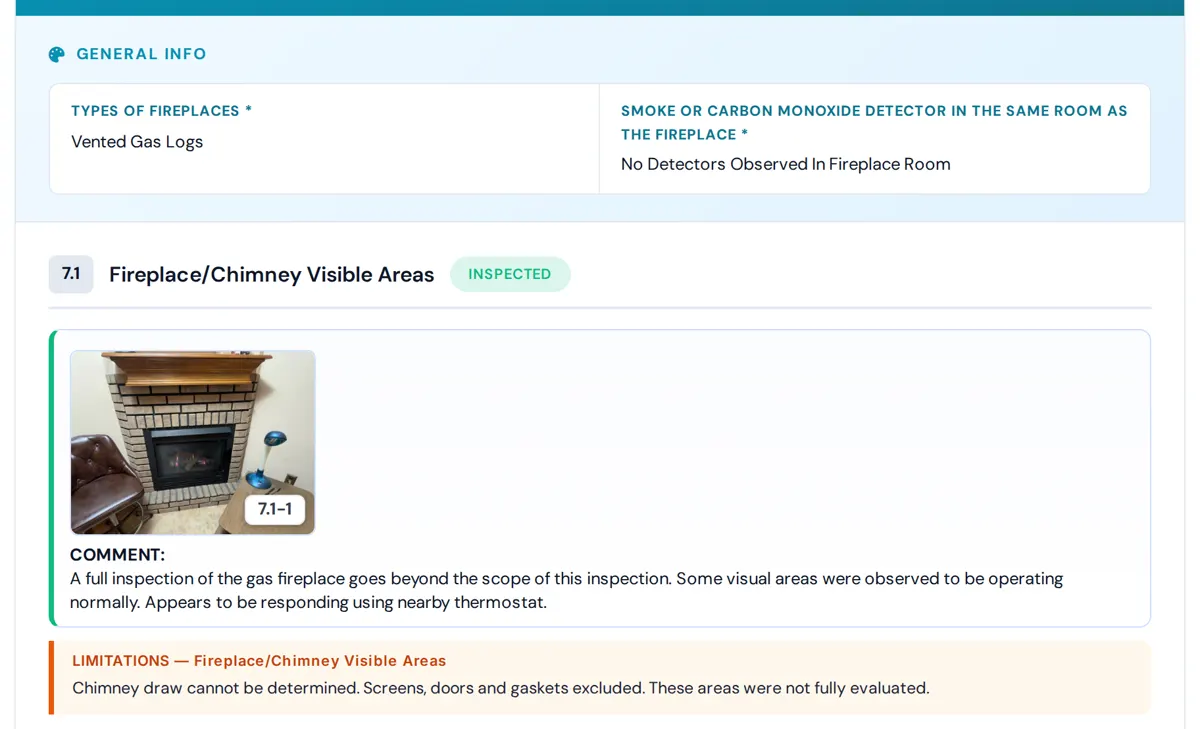
Each section of the report has a Limitations tab next to "+ New Comment". Pick from a list made for that section, or type your own and it is saved for your company. Limitations print in their own block in the report and the PDF.
General Info tab in every section
Each section also has a General Info tab for the facts of the house: materials, types and descriptions. Your answers print in the report.
What is different
- The software writes the report with you. InspectorData's AI looks at your photos and writes the comment from your saved comments and its own wording. You review and edit every comment before the report goes out.
- Nothing to install. It runs in the browser on your desktop, and on your phone or tablet with the mobile app for iPhone, Android and iPad, which has offline mode for basements and crawl spaces.
- Illustrations: coming soon. A library of illustrations you can attach to comments is being added to InspectorData.
- The business side is built in. Scheduling and online booking, clients and agents, digital agreements and card payments are part of the same $79/month.
Built by an inspector who still inspects
InspectorData was built by Lisa Meine, an InterNACHI Certified Master Inspector who still inspects. Limitations and General Info are in it because inspectors use them on every job.
How the move works
$79/month flat. Everything included.
1. Create your account
Set up your company, services, pricing and report template.
2. Send us your Horizon export
Email your exported files to [email protected].
3. We load it for you
We help you bring over your clients, agents and comment library, so your first report starts with your own wording.
Frequently Asked Questions
Is Horizon really shutting down?
Yes. Carson Dunlop announced on July 27, 2026 that it is retiring Horizon on December 15, 2026 to focus on training, education and franchise development. Horizon keeps working until that date.