Quick Answer
There is no single best home inspection software — the right choice depends on what you need most. Spectora ($109/mo) is the most widely used platform and the strongest choice for agent-facing marketing. HomeGauge ($99/mo) suits inspectors who want deeply customized traditional report templates. Home Inspector Pro offers the broadest desktop cross-platform support. Inspector Toolbelt is built for speed in the field. Tap Inspect fits low-volume iOS inspectors who prefer pay-per-inspection. InspectorData ($79/mo) is the option built around AI photo analysis — photos are automatically filed into the correct report category and subcategory as they upload, and comments are drafted from the image itself.
Choosing the right home inspection software is one of the most important business decisions you will make as an inspector. Your software affects how fast you write reports, how professional those reports look to agents and buyers, how you schedule jobs, collect payments, and ultimately how much money stays in your pocket at the end of each month.
The inspection software market has evolved significantly in recent years. AI-powered report writing software, mobile-first workflows, and integrated business management tools have moved from nice-to-have features to baseline expectations. At the same time, pricing models vary wildly -- from flat monthly subscriptions to per-report fees to one-time license purchases -- making apples-to-apples comparisons difficult.
This guide breaks down the six most widely used home inspection software platforms in 2026: InspectorData, Spectora, HomeGauge, Home Inspector Pro, Inspector Toolbelt, and Hive Inspect. We compare features, pricing, ease of use, and long-term value so you can make an informed decision for your business.
What to Look for in Inspection Software
Before diving into individual platforms, it helps to establish the criteria that actually matter when evaluating inspection software. Based on feedback from hundreds of working inspectors, these are the factors that have the greatest impact on daily operations:
- Report writing speed -- How quickly can you produce a complete, professional report on site? Features like AI photo analysis, pre-built comment libraries, and mobile-friendly editors make a measurable difference.
- Business management tools -- Scheduling, client management, digital agreements, payment processing, and analytics should all live in one place rather than requiring separate subscriptions.
- Total cost of ownership -- Monthly fees are just the starting point. Factor in per-report charges, payment processing rates, add-on costs, and whether features are gated behind higher tiers.
- Mobile experience -- You are in the field, not at a desk. The mobile app or responsive web experience needs to be fast, reliable, and designed for on-site use.
- Comment library quality -- Pre-written comments save enormous time, but only if they are technically accurate and professionally written. The size and quality of the library matters.
- Built by inspectors -- Software designed by people who have actually performed inspections tends to handle real-world edge cases that developer-only teams miss.
The Six Platforms Compared
1. InspectorData -- $79/month
InspectorData is a flat-rate, all-in-one inspection platform built by a Certified Master Inspector (CMI) with over 11 years of field experience. The platform includes AI-powered photo analysis, a library of more than 8,000 pre-written inspection comments, scheduling, client management, digital agreements with e-signatures, payment processing at 3.35% + $0.40, and a full analytics dashboard.
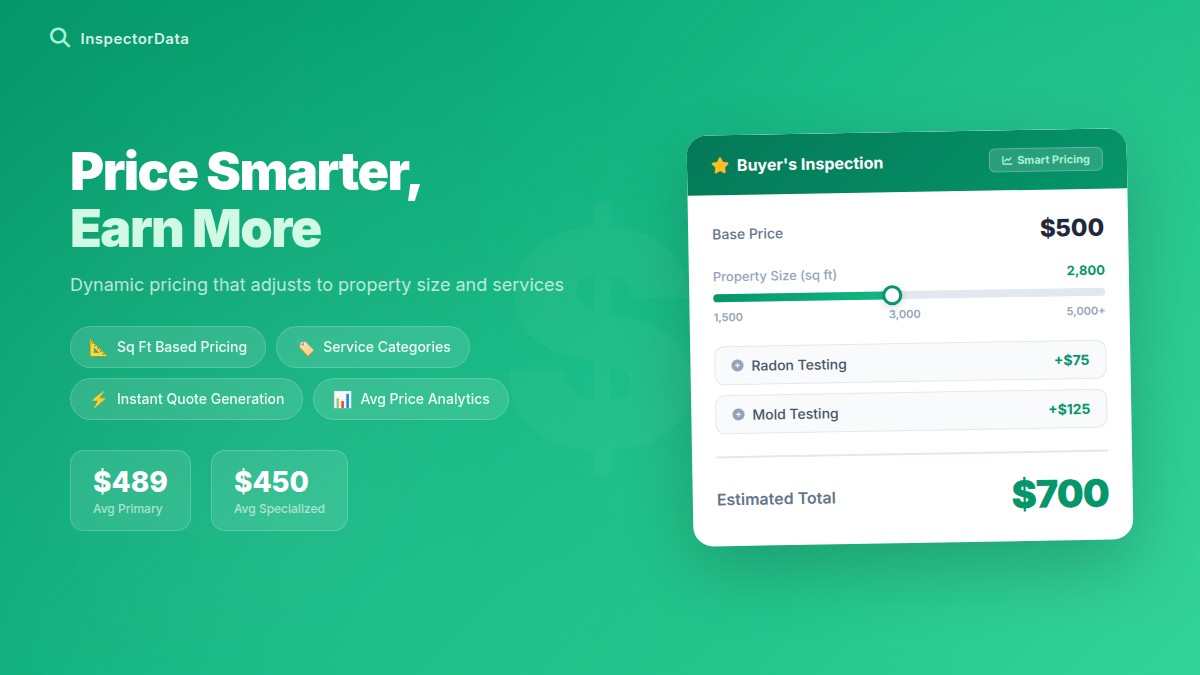
The AI photo analysis feature is worth highlighting. When you upload an inspection photo, InspectorData's AI engine identifies defects -- water damage, electrical issues, structural concerns, roofing problems -- and generates a professional narrative comment in seconds. This is not a simple text suggestion; the system analyzes the actual image content and produces context-specific commentary.
Every feature is included in the single $79 monthly price. There are no per-report fees, no premium tiers that lock away advanced features, and no hidden costs. The 30-day free trial is available.
Best for: Solo inspectors and small firms who want a complete business platform at a predictable monthly cost, with AI features that genuinely reduce time on site.
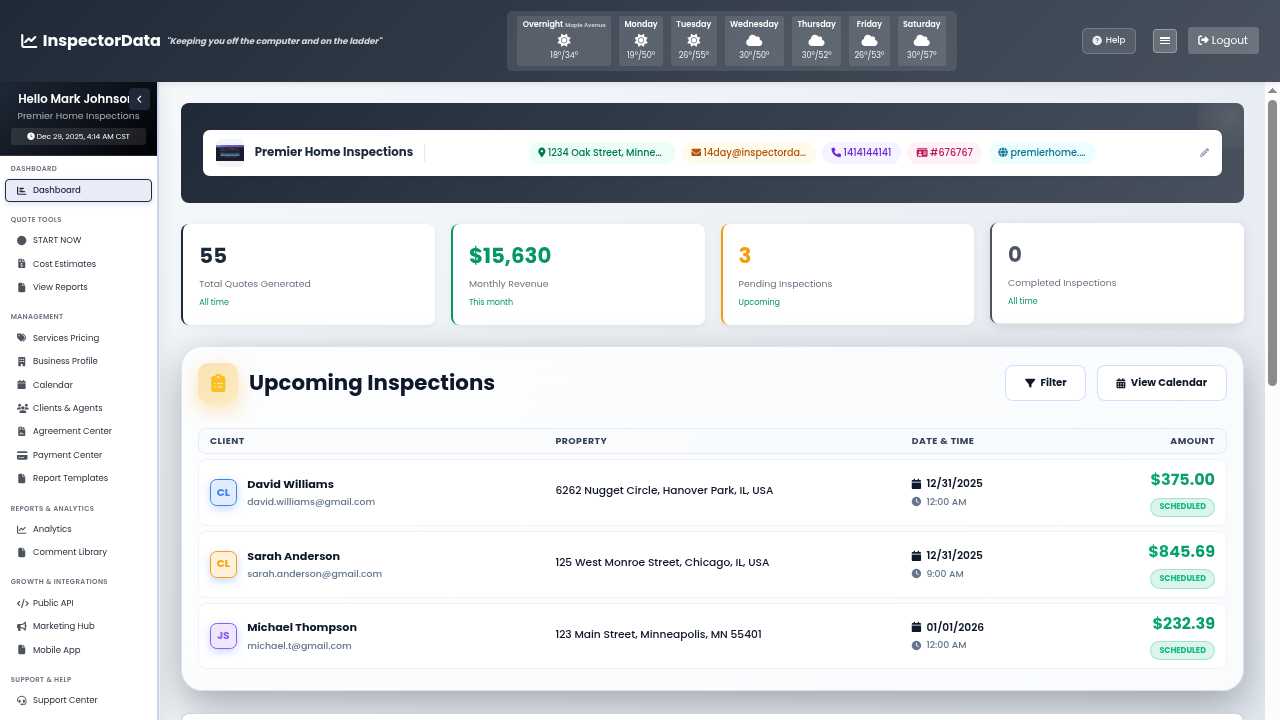
Everything You Need. One Monthly Price.
Dashboard, scheduling, reports, payments, agreements, analytics -- all included at $79/mo. No hidden fees, no per-report charges.
Tour the Dashboard2. Spectora -- $109/month
Spectora is one of the most popular inspection software platforms, known for producing clean, modern-looking reports that agents and buyers find easy to read. The platform offers scheduling, template-based report writing, a mobile app, payment processing, and business analytics. Spectora acquired HomeGauge in April 2025, and both platforms are now owned by private-equity firm Radian Capital.
Spectora's pricing is $109 per month for a solo inspector, with a 3.95% card "technology fee" added to your client's total on every online payment. The Advanced add-on tacks on an additional $3-4 per published inspection, which increases the effective monthly cost as your volume grows. The platform has a solid user interface and a well-designed mobile experience.
Where Spectora falls short for some inspectors is the total cost of ownership. The higher percentage rate and pricier plan add up -- on a $400 inspection, Spectora's 3.95% technology fee runs $15.80 per transaction versus InspectorData's $13.80 at 3.35% + $0.40, about $2 less every transaction, on top of the higher monthly subscription.
Spectora does offer AI-assisted comment suggestions, though the implementation focuses more on text-based recommendations rather than full photo analysis and comment generation. The comment library is serviceable but smaller than some competitors.
Best for: Inspectors who prioritize report appearance and are comfortable with a higher price point. See the full InspectorData vs Spectora comparison.
3. HomeGauge -- $89/month
HomeGauge has been in the home inspection software market for over two decades, making it one of the longest-running platforms available. It is known for its customizable report templates and the HomeGauge Companion app for on-site data entry. HomeGauge was acquired by Spectora in April 2025 and now sits under the same private-equity owner, Radian Capital.
Pricing is $89 per month, though the exact cost depends on the plan and add-ons selected. HomeGauge offers a Create Request List (CRL) feature that allows agents and buyers to select items from the report for repair requests, which is a workflow some agents prefer.
The platform's age is both a strength and a weakness. HomeGauge has had years to build out features and fix bugs, but the user interface shows its age in places. The mobile experience is functional but does not feel as polished as newer competitors. Report templates are highly customizable, which appeals to inspectors who want granular control over their output format.
HomeGauge does not currently offer AI-powered photo analysis or AI comment generation at the level of newer platforms. The comment library is adequate but requires significant customization to match the quality of purpose-built libraries.
Best for: Established inspectors who value customization and have existing workflows built around HomeGauge's template system. See the full InspectorData vs HomeGauge comparison.
4. Home Inspector Pro -- $74/month
Home Inspector Pro, now owned by Porch Group, has moved to subscription pricing: $74 per month for the core software, or $89 per month with the Office add-on for business management features. The one-time license model it was historically known for is no longer the current offering.
The platform is a desktop-first application (Windows and Mac) with a companion mobile app for on-site use. Report templates are highly customizable, and the software has been around long enough to have a mature feature set for report writing.
The pricing model has trade-offs. The base $74/month plan is primarily a report writer -- built-in scheduling, payment processing, and client management require the pricier Office tier or separate tools, so the effective cost of a full business platform is higher than the base price suggests.
Home Inspector Pro does not offer AI-powered features. The comment library is solid for its age but has not kept pace with the AI-generated and professionally curated libraries available on newer platforms.
Best for: Budget-conscious inspectors who primarily need a report writer and already have separate solutions for scheduling, payments, and client management.
5. Inspector Toolbelt -- Budget Option
Inspector Toolbelt positions itself as the affordable alternative in the inspection software market. Monthly pricing comes in below the major competitors, making it attractive to new inspectors who are still building their client base.
The platform covers the basics: report writing, templates, a mobile app, and some scheduling functionality. The user interface is straightforward, and the learning curve is relatively gentle compared to more feature-rich platforms.
The trade-off for the lower price is a smaller feature set. Inspector Toolbelt does not offer AI photo analysis, and its comment library is more limited than the larger platforms. Business management features like advanced analytics, digital agreement management, and integrated payment processing are either absent or basic compared to the competition.
For inspectors just getting started, Inspector Toolbelt can serve as a reasonable entry point. However, many inspectors find themselves outgrowing the platform within their first year and facing a migration to a more capable system.
Best for: Brand-new inspectors on a tight budget who need basic report writing and plan to upgrade as their business grows.
6. Hive Inspect -- ~$99/month
Hive Inspect is a newer all-in-one platform made by Synapse Mobility, Inc., a technology company rather than a practicing inspection firm. It bundles the core business tools an inspector needs -- built-in payments, invoicing, a CRM, online booking and scheduling, customizable templates, and apps for both iOS and Android plus a web version with offline mode. Hive supports team inspections and multi-language PDF output, and advertises a base of 1,000+ inspectors.
Pricing is $99 per month (or $999 per year, roughly $83/month), with additional inspectors at $79/month ($49/month on the annual plan). Hive also offers part-time options -- a 10-report pack at $9.90 per report and a tiered new-inspector ramp ($39 to $59 to $79 to $99) -- which makes it flexible for inspectors who are not yet running at full volume.
On AI, Hive's headline feature is "Voice-to-Report," along with AI report generation and an AI cost estimator. It is genuinely useful, but it is important to understand the distinction: Hive's AI is voice- and text-based. You dictate or type, and the AI drafts and refines the wording. It does not perform vision analysis on the content of your photos -- it does not look at an image and identify the defect for you. That photo-analysis capability is where InspectorData differs.
The other practical differences are price and pedigree. Hive is $99/month versus InspectorData's $79/month -- $20 more per month, with pricier extra seats ($69 vs $54) -- and it is built by a technology company rather than a Certified Master Inspector. Hive offers 5 free reports to start, compared with InspectorData's 30-day free trial.
Best for: Inspectors who want a capable all-in-one with strong voice-driven report writing and do not need vision AI that analyzes photo content. See the full InspectorData vs Hive Inspect comparison.
Feature Comparison Table
This table compares the core features across all six platforms. A checkmark indicates the feature is included in the standard offering; a cross indicates it is absent or requires a significant add-on purchase.
| Feature | InspectorData | Spectora | HomeGauge | HIP | Toolbelt | Hive |
|---|---|---|---|---|---|---|
| AI Photo Analysis | Yes | Limited | No | No | No | No |
| AI Comment Generation | Yes | Partial | No | No | No | Voice/text |
| Comment Library Size | 8,000+ | Moderate | Moderate | Moderate | Basic | -- |
| Mobile App / PWA | Yes | Yes | Yes | Yes | Yes | Yes |
| Scheduling / Calendar | Yes | Yes | Yes | No | Basic | Yes |
| Client CRM | Yes | Yes | Basic | No | Basic | Yes |
| Digital Agreements / E-Sign | Yes | Yes | Yes | No | No | -- |
| Payment Processing | 3.35% | ~3.25% | Yes | No | No | Yes |
| Analytics Dashboard | Yes | Yes | Basic | No | No | -- |
| Quote Calculator | Yes | No | No | No | No | -- |
| Built by a CMI | Yes | No | No | No | No | No |
| Report Templates | Yes | Yes | Yes | Yes | Yes | Yes |
| Multi-Service Support | Yes | Yes | Yes | Limited | Limited | Yes |
| Free Trial Length | 30 days | ~30 days | Varies | Demo | ~30 days | 5 reports |
Pricing Comparison
Price is not just the monthly fee. To get a real picture of what each platform costs, you need to factor in payment processing rates, per-report fees, add-on charges, and what is actually included versus gated behind premium tiers.
| Cost Factor | InspectorData | Spectora | HomeGauge | HIP | Toolbelt | Hive |
|---|---|---|---|---|---|---|
| Monthly Fee | $79 | ~$99 | ~$99 | N/A | Low | ~$99 |
| One-Time License | N/A | N/A | N/A | ~$699+ | N/A | N/A |
| Per-Report Fee | $0 | $0 | $0 | $0 | $0 | $0 |
| Payment Processing | 3.35% + $0.40 | ~3.25% + $0.40 | Varies | N/A | N/A | Varies |
| All Features Included | Yes | Tier-dependent | Add-ons | Add-ons | Limited set | Yes |
| Annual Cost (est.) | $948 | ~$1,188 | ~$1,188 | ~$699+ | Varies | ~$1,188 |
| Processing on $120K revenue* | $3,480 + fees | ~$3,900 + fees | Varies | External | External | Varies |
*Estimated annual processing costs based on $120,000 in card transactions (approximately 300 inspections at $400 average). Actual rates may vary. "External" means you need a separate payment processor.
Annual Cost Breakdown: A Practical Example
Let's look at what each platform actually costs a solo inspector doing 300 inspections per year at an average price of $400, with all payments collected through the platform.
With InspectorData, your annual software cost is $948 (12 months at $79). Payment processing on $120,000 in revenue at 3.35% + $0.40 comes to approximately $4,140. Total annual cost: roughly $5,088.
With Spectora at $109/month, your annual software cost is $1,308. Their 3.95% technology fee on the same $120,000 comes to roughly $4,740. Total annual cost: approximately $6,048.
That is a difference of roughly $960 per year -- and that gap widens as your inspection volume or average price increases. Over five years, the savings add up to nearly $4,800.
Calculate Your Savings
Enter your numbers to see how much you could save with InspectorData.
The AI Factor: Why It Matters in 2026
AI has moved from a marketing buzzword to a practical tool that directly impacts how fast you can complete an inspection. The key question is not whether a platform "has AI" but what that AI actually does in practice.
There are three levels of AI implementation in inspection software today:
- Text suggestions -- The software predicts what you are typing and offers auto-complete suggestions, similar to your phone keyboard. This is the most basic level and saves minimal time.
- Comment recommendations -- The software suggests pre-written comments based on the category or component you are inspecting. This is more useful but still requires you to identify the issue and select the right comment manually.
- Photo analysis and comment generation -- The software analyzes your inspection photo, identifies the defect or condition in the image, and generates a complete, context-specific comment. This is the most advanced level and saves the most time per finding.
InspectorData operates at the third level. When you take a photo of a cracked foundation wall, corroded electrical panel, or water-stained ceiling, the AI home inspection software identifies what it sees and writes a professional comment that describes the condition, its significance, and a recommendation -- typically in seconds. This is not a generic template; the output is specific to the actual content of the image.
Most other platforms on this list are operating at the first or second level, or do not offer AI features at all. For inspectors who want to reduce their on-site time, this distinction is significant.
The Comment Library Advantage
Even with AI, a well-organized comment library is essential. Not every finding requires a photo, and there are situations where you need to quickly add standard language for common conditions.
InspectorData ships with over 8,000 pre-written inspection comments covering residential systems from roof to foundation. These comments were written and reviewed by a Certified Master Inspector, which means they reflect the technical accuracy and professional tone that experienced inspectors expect. Comments are organized by system and component, making them fast to locate on site.
Other platforms offer comment libraries of varying sizes and quality. Some ship with smaller libraries and expect inspectors to build their own over time. Others rely on community-contributed comments that may lack consistent quality or technical accuracy. The quality of the starting library matters because building a comprehensive library from scratch takes months of work.
Who Should Choose What
Different platforms suit different situations. Here is a straightforward breakdown:
- Choose InspectorData if you want the lowest total cost of ownership, AI photo analysis that actually reduces on-site time, a massive comment library, and every business management feature included in one flat price. The 30-day free trial gives you ample time to evaluate.
- Choose Spectora if report visual design is your top priority and you are comfortable paying more for it. Spectora produces attractive reports and has a polished interface.
- Switching from HomeGauge? The migration is a one-time effort — and the time you save on every inspection afterward pays for it quickly. InspectorData's cloud-based platform means no more Windows-only installs, no setup fees, and AI features HomeGauge simply doesn't have.
- Switching from Home Inspector Pro? If you're ready to move beyond a standalone report writer and want scheduling, payments, digital agreements, and client booking all in one place, InspectorData is the natural next step.
- Just starting out? InspectorData's $79/month introductory pricing and 30-day free trial means zero risk. Start with professional-grade software from day one — your reports are your marketing.
Making the Switch: What to Consider
If you are currently using one platform and considering a move, here are the practical factors to weigh:
- Data migration -- Most platforms do not offer automated import from competitors. Plan to start fresh with templates and comments, or manually transfer your custom content.
- Learning curve -- Budget two to three weeks to become fully comfortable with any new platform. Running both old and new systems in parallel during a trial period is the safest approach.
- Client continuity -- Your clients (agents, buyers) will see a different report format. Most adapt quickly, but it is worth giving your regular agents a heads-up.
- Sunk costs -- Do not let past spending keep you on an inferior platform. If a different tool saves you 30 minutes per inspection and $522 per year, the math justifies the switch regardless of what you have already paid elsewhere.
Final Verdict
The home inspection software market in 2026 offers more capable options than ever before. AI features, integrated business management, and mobile-first design have raised the bar across the board.
For most inspectors, InspectorData represents the best combination of features, AI capabilities, and value. At $79 per month with all features included, 3.35% payment processing, AI photo analysis, and a library of over 8,000 comments built by a Certified Master Inspector, it delivers more for less than Spectora and HomeGauge on total cost of ownership. The 30-day free trial means there is zero risk in trying it.
That said, every business is different. We encourage you to test any platform thoroughly against your specific workflow before committing. The comparison pages linked below provide deeper dives into head-to-head matchups.
Related comparisons:
- InspectorData vs Spectora -- Full Comparison
- InspectorData vs HomeGauge -- Full Comparison
- InspectorData vs Hive Inspect -- Full Comparison
- Explore All InspectorData Features
Try InspectorData Free for 30 Days
AI photo analysis, 8,000+ comments, scheduling, payments, and everything else -- all included at $79/month after your trial.
Start Your Free Trial