- 1 Why Inspection Software Pricing Is All Over the Map
- 2 What Features You Actually Need (vs. Fluff)
- 3 The Real Cost of Cheap Software (Hidden Fees)
- 4 Software Comparison: Price vs. Features (2026)
- 5 Free Trials: What to Test Before You Commit
- 6 Per-Inspection Pricing vs. Flat Monthly Fee
- 7 When It Makes Sense to Pay More
- 8 What You Give Up at the Cheapest Tiers
- 9 Cheapest vs. Best Value: How to Decide
- 10 InspectorData: Full Features at an Accessible Price
- 11 Frequently Asked Questions
If you are just starting your inspection business — or you have been around long enough to know that software pricing can quietly eat your margins — you already understand the frustration. One platform wants $149/month. Another charges you per report on top of a monthly fee. A third buries a $300 setup charge in the fine print. This article cuts through the noise.
Why Inspection Software Pricing Is All Over the Map
Home inspection software has exploded as an industry over the past decade. Scheduling, digital agreements, photo tools, AI features, client portals, payment processing — the feature list keeps growing, and so does the price range. You can pay anywhere from $30/month to $200+/month for tools that, on the surface, look similar.
New inspectors get hit hardest. You are still building your client base and you need every dollar. Paying $149/month for software when you are doing 6-8 inspections is a real margin problem. But you still need professional-grade software from day one, because your reports are your marketing.
What Features You Actually Need (vs. Fluff)
The Non-Negotiables
- Mobile reporting: Write your report on-site or immediately after.
- Photo integration: Photos taken in the field need to attach to the right section without 45 minutes of sorting at your desk.
- Digital agreements: Clients expect to sign electronically.
- Scheduling: Online booking or a solid calendar system.
- Professional report output: PDF or web-based reports that look good enough to hand to a real estate agent.
- Payment processing: Collect payment at or before inspection.
Nice-to-Have Features Worth Paying For
- AI photo categorization (saves significant time on high-volume days)
- Comment library with pre-written defect descriptions
- Client self-booking portal with real-time availability
- Quoting and estimate tools
- Public API access for website integrations
The Real Cost of Cheap Software (Hidden Fees)
Per-Inspection or Per-Report Fees
Some platforms charge a fee for every report you generate on top of your monthly subscription. At $3-5 per report with 20 inspections a month, that is $60-100 added to your bill. Your "affordable" $49/month plan just became $109-149/month — and that number grows every time your business does.
Setup and Onboarding Fees
A $199-499 setup fee is common with older platforms. Always ask directly: is there a one-time setup or onboarding charge?
Add-On Feature Costs
Some platforms gate their best features behind higher-tier plans. Payment processing or client portals may only be available on their $149/month tier. Read the feature comparison table before signing up.
Software Comparison: Price vs. Features (2026)
| Software | Monthly Price | Per-Report Fee | Mobile App | AI Features | Client Booking |
|---|---|---|---|---|---|
| InspectorData | $79/mo (intro) | None | Yes (PWA) | Yes | Yes |
| Spectora | $99–$149/mo | None | Yes | Limited | Yes |
| HomeGauge | $99+/mo | Some tiers | Limited | No | Yes |
| Home Inspector Pro | Varies | None | Limited | No | No |
| Inspector Toolbelt | Lower entry | Check terms | Yes | No | Limited |
Free Trials: What to Test Before You Commit
Every major inspection software offers a free trial. Use them strategically — not just poking around the dashboard for 20 minutes.
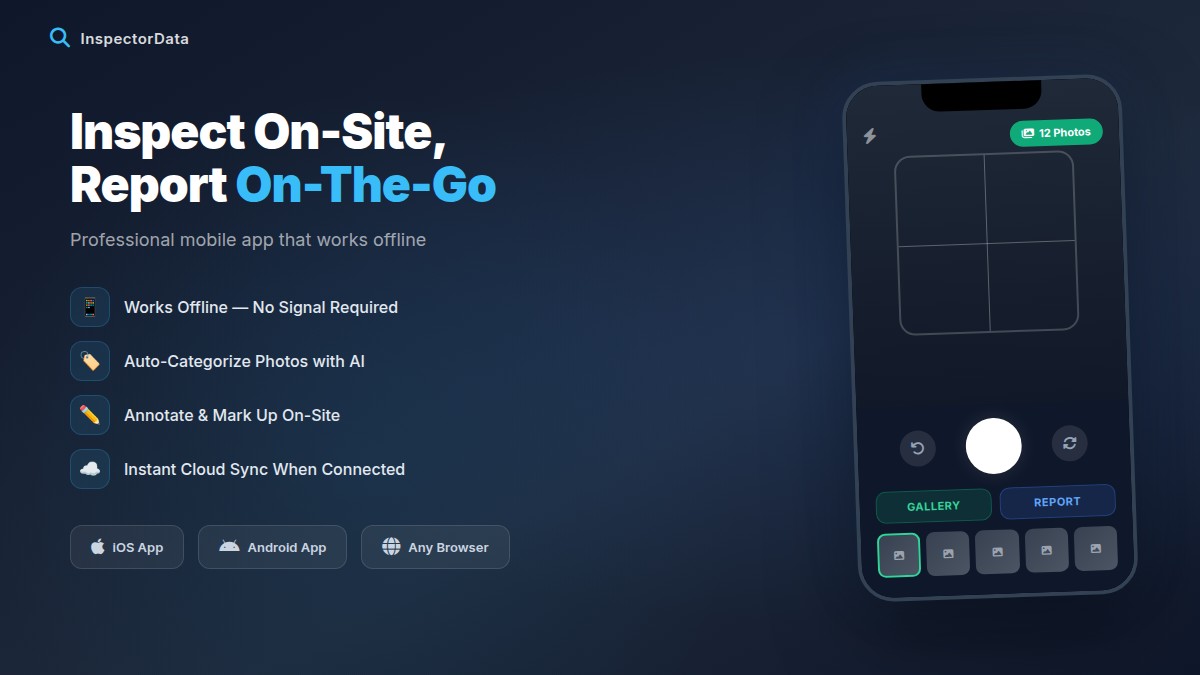
- Create a real report on your phone. Walk through your house as if it were an actual inspection.
- Import or attach 20 photos. See how the platform handles photos at scale.
- Send a test agreement to yourself. Is it smooth enough that a 65-year-old homeowner could sign on their phone?
- Try to book as a client. See what your clients would experience.
- Generate a final report PDF. Does it look professional?
Per-Inspection Pricing vs. Flat Monthly Fee
A flat monthly fee means your software cost is fixed regardless of how many inspections you run. This is the model that scales with your business rather than against it.
Let's say you compare a $59/month platform with a $4/report fee against a $99/month flat fee:
- At 10 inspections/month: $59 + $40 = $99 (same cost)
- At 15 inspections/month: $59 + $60 = $119 (more expensive)
- At 25 inspections/month: $59 + $100 = $159 (significantly more expensive)
When It Makes Sense to Pay More
High-volume multi-inspector firms doing 100+ inspections per month likely need enterprise features. At that scale, paying $200/month for the right platform is sound. Specialized inspection types (commercial, pool, radon) may also need niche platforms. But do not pay premium prices just because a platform has brand recognition.
What You Give Up at the Cheapest Tiers
The bargain-basement plans around $30/month are not lying about the price — they are just quiet about what is missing. When a platform advertises a rock-bottom monthly fee, the savings almost always come from cutting the features that save you the most time in the field. Here is what tends to disappear at the cheapest tiers:
- AI photo categorization. On a busy day with 80+ photos, manual sorting at your desk can eat 30-45 minutes per report. The cheapest tiers leave you doing that by hand, every single time.
- Client self-booking. Without an online booking portal, you are back to phone tag and manual calendar entry — which costs you both time and the occasional client who books a competitor instead of waiting for a callback.
- Integrated payment processing. Many cheap plans make you collect payment off-platform, so you chase invoices instead of getting paid at or before the inspection.
- A comment library. Pre-written, customizable defect descriptions are the single biggest report-writing time saver. Cheap tiers often omit them or charge extra, so you retype the same findings job after job.
- API access and website integrations. If you ever want a quote calculator or booking widget on your own site, the cheapest plans usually lock that behind a higher tier.
None of these are luxuries once you are running a real schedule. They are the difference between finishing your reports the same evening and carrying a backlog into the weekend. Before you commit to a cheap plan, list the five things that slow you down most and confirm the platform actually solves them — a low price on software that does not fix your bottlenecks is not a bargain, it is a recurring tax on your time.
Cheapest vs. Best Value: How to Decide
"Cheapest" and "best value" are not the same thing, and conflating them is the most common mistake inspectors make when choosing software. Cheapest is the lowest sticker price. Best value is the lowest total cost for the features you will actually use — measured at your real inspection volume, with every fee counted, and with the hours the software saves you factored in.
Run the math the way it actually plays out over a year, not the way it looks on a pricing page:
- Count every fee, not just the monthly rate. Add per-report fees, setup or onboarding charges, and the cost of any add-on you genuinely need. A plan with a low base rate and a $4 per-report fee can overtake a flat-fee plan well before you hit 25 inspections a month.
- Price the time, not just the dollars. If AI photo sorting and a comment library save you 30 minutes per report across 20 inspections, that is 10 hours a month back in your pocket. At typical inspector billing rates, that recovered time is worth far more than the gap between a $30 plan and a full-featured one.
- Favor a flat monthly fee. Flat pricing scales with your business instead of against it. Your software cost stays fixed while your volume — and revenue — climbs.
- Make sure the reports still look professional. Your report is your marketing to every agent who sees it. A few dollars saved is not worth handing a client a report that looks like it came from a spreadsheet.
The genuinely affordable choice is the one that gives you professional reports, a flat fee, and the time-saving features your workflow depends on — not the lowest number on a pricing page. When you put cost and time side by side, the "best value" platform is frequently cheaper in real dollars than the so-called cheapest one. If you want the wider view, our best home inspection software 2026 roundup compares the top platforms on overall value rather than price alone.
InspectorData: Full Features at an Accessible Price
InspectorData was built by a Certified Master Inspector with over 11 years in the field and more than 2,750 inspections completed. At $79/month introductory with no per-inspection fees, the full platform includes:
- AI photo auto-categorization — sorts field photos into correct report sections automatically
- Mobile PWA app — works on any device without downloading from an app store
- Client self-booking — clients book their own appointments from your availability
- Digital agreements — sent automatically after booking for electronic signature
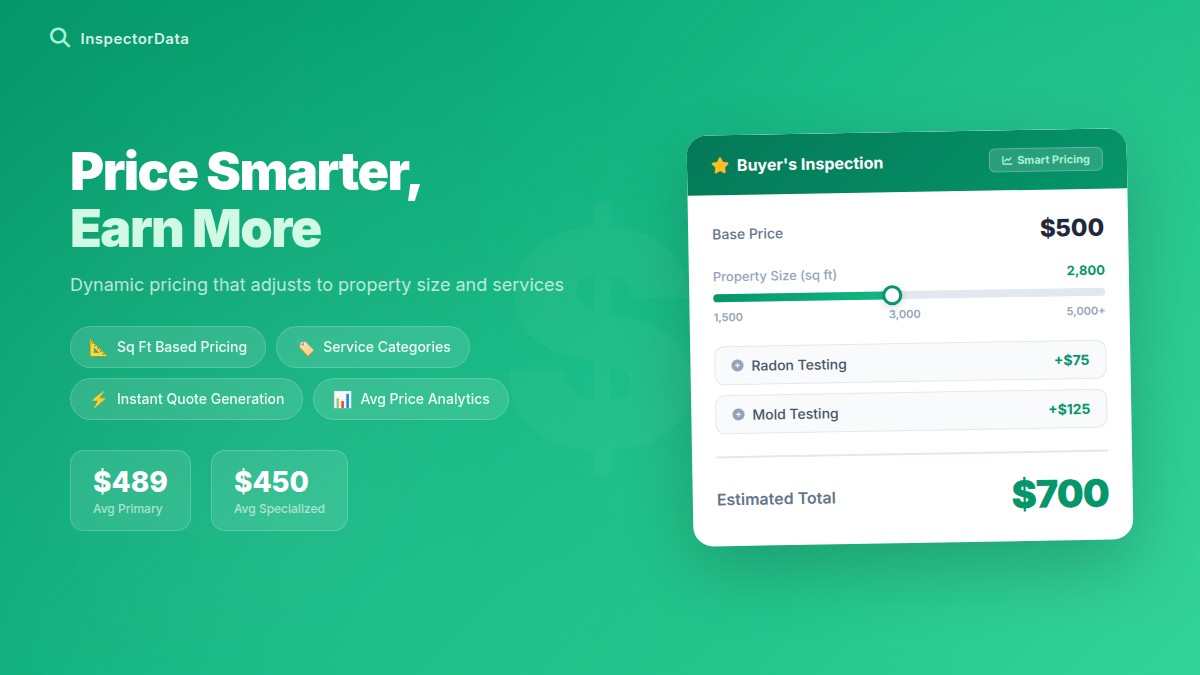
- Quoting and estimating tools — automatic pricing based on your rate structure
- Payment processing — collect at or before inspection
- Comment library — pre-written defect descriptions ready to customize
- Report templates — professional output your clients and agents will actually read
- Public API — connect booking directly to your own website
No per-inspection fees. No setup charges. No annual contract. Card processing is a flat 2.99% when you collect payment through the platform, and you can try everything with a 90-day free trial that requires no credit card. Start your trial at inspectordata.com and run through your most complicated inspection scenario first — if the software handles it, it will handle everything else with room to spare.
Frequently Asked Questions
What is the cheapest home inspection software in 2026?
Entry-level inspection tools start around $30/month, but those bargain tiers usually strip out the features that actually save you time, such as AI photo categorization, client self-booking, and built-in payment processing. When you compare total cost at your real inspection volume (including per-report fees), the cheapest sticker price is rarely the cheapest platform. InspectorData includes the full feature set at $79/month introductory with no per-report fees and no setup charge, which often works out cheaper than a $30-$49 plan once add-on fees are counted.
What do you give up with the cheapest inspection software?
At the cheapest tiers you typically lose AI photo categorization, client self-booking, integrated payment processing, a comment library, and API access for website integrations. You also tend to inherit per-report fees, paid onboarding, and feature gates that push the must-haves into a more expensive plan. The result is a low headline price that quietly grows as your inspection volume grows.
Is cheap home inspection software worth it for new inspectors?
A low monthly price is worth it only if the software still produces professional reports and does not pile on per-report fees as you book more work. New inspectors are best served by a flat monthly fee with no per-report charges, because that cost stays fixed while your volume climbs. Calculate your total monthly cost at 15-25 inspections, not at zero, before deciding what is genuinely affordable.
What is the difference between cheapest and best value inspection software?
Cheapest is the lowest sticker price. Best value is the lowest total cost for the features you will actually use, measured at your real inspection volume. A $30/month plan that charges $4 per report and lacks AI can cost more, and save less time, than a flat-fee platform that includes everything. Best value weighs the monthly fee, per-report fees, setup charges, and the hours the software saves you each month.
Does InspectorData charge per-report or setup fees?
No. InspectorData is $79/month introductory with no per-inspection fees, no setup or onboarding charges, and no annual contract. Card processing is a flat 2.99% when you collect payment through the platform. You can try the full software with a 90-day free trial that requires no credit card.
How long is the InspectorData free trial?
InspectorData offers a 90-day free trial with no credit card required, which is long enough to run dozens of real inspections before you decide. Use the trial to create a full report on your phone, attach 20 or more photos, send a test agreement, and generate a final PDF so you can judge the software on actual field use rather than a rushed demo.