

- 01 The Problem with Multi-Tool Stacks
- 02 What "All-in-One" Actually Means
- 03 The 10 Essential Features Every Inspector Needs
- 04 How InspectorData Connects Everything
- 05 Feature Comparison: InspectorData vs Competitors
- 06 Real Cost Analysis
- 07 The Sewer Scope + Partner Network Advantage
- 08 Mobile App + Desktop Integration
- 09 Migration Guide: Switching Platforms
- 10 Getting Started
If you run a home inspection business in 2026, there is a good chance you are paying for four or five separate software tools that barely talk to each other. One app for scheduling, another for report writing, a third for invoicing, a CRM you half-use, and maybe a separate website builder on top of it all. Each tool has its own login, its own monthly bill, and its own customer support team that has never heard of the other tools in your stack. The result: wasted time, duplicated data entry, and a monthly software bill that rivals your truck payment.
This article breaks down exactly why the all-in-one home inspection software model is winning in 2026, how to evaluate platforms honestly, and where InspectorData fits in a head-to-head comparison with Spectora, HomeGauge, PalmTech, and Inspector Toolbelt.

The Problem with Multi-Tool Stacks
Most home inspectors do not start with five tools. They start with one report-writing app, and then they realize they need scheduling. So they add Calendly or Acuity. Then they realize they need to track clients, so they sign up for a basic CRM. Payment processing? Another tool. Agreements and contracts? Another. A website with booking capabilities? Another monthly charge.
Before long, the average inspector is managing a fragmented stack that looks something like this:
| Tool Category | Common Choice | Typical Monthly Cost | The Problem |
|---|---|---|---|
| Report Writing | Spectora, HomeGauge, or PalmTech | $59 - $99 | Only writes reports, limited scheduling |
| Scheduling / Calendar | Calendly, Acuity, or Google Calendar | $0 - $16 | No inspection-specific fields |
| CRM / Client Management | HubSpot, Jobber, or spreadsheets | $0 - $50 | Not built for inspectors, no report link |
| Payment Processing | Square, Stripe standalone, or Venmo | 3.35% + $0.40 per tx | Manual invoicing, no auto-connect to inspection |
| Agreements / Contracts | DocuSign, HelloSign, or paper | $10 - $25 | Separate workflow, no auto-attach to job |
| Website / Booking | Wix, Squarespace, or WordPress | $16 - $45 | Requires manual sync with everything else |
Total monthly cost of the stack: $145 to $265. And that does not account for the time you spend manually copying data between systems. When a client books through your website, you manually add them to your CRM, then manually create a new report in your report writer, then manually send an agreement through your e-sign tool, then manually create an invoice in your payment app. Each handoff is a chance for data to get lost, a detail to be forgotten, or a step to be skipped entirely.
The deeper problem is data silos. Your report writer knows what you inspected, but your CRM does not. Your payment tool knows who paid, but your scheduling tool does not. Your agreement tool has signed contracts, but your report tool cannot see them. No single tool has the complete picture of your business, which means you do not either.
What "All-in-One" Actually Means
The term "all-in-one" gets thrown around loosely in the home inspection software world. Some platforms call themselves all-in-one because they added a basic scheduler to their report writer. That is not what we are talking about.
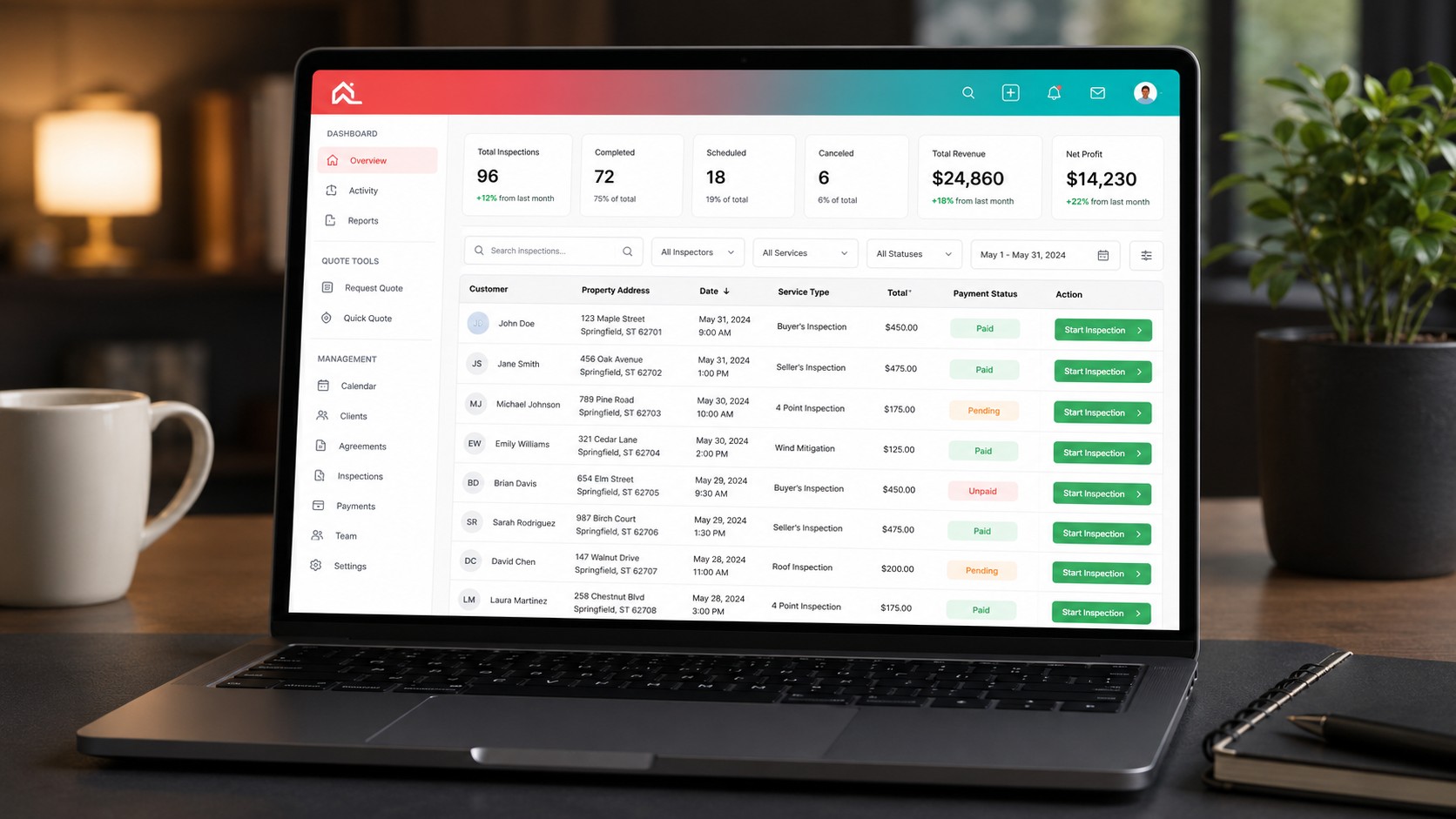
True all-in-one home inspection software means a single platform handles the entire business lifecycle of an inspection, from the moment a lead arrives to the moment the final report is delivered and payment is collected. Every piece of data flows through one system. Every action in one area automatically updates every other area.
Here is the difference in practice:
| Workflow Step | Multi-Tool Stack | True All-in-One |
|---|---|---|
| Lead arrives | Website form → manually add to CRM | Auto-captured in dashboard with full history |
| Scheduling | Copy info to calendar tool manually | Calendar books from dashboard, auto-populates report |
| Agreement | Open DocuSign, re-type client info, send | One click sends pre-filled agreement from same record |
| On-site inspection | Open separate report app on phone | Mobile app syncs photos and notes to same job record |
| Report writing | Download photos, import to report writer | AI categorizes photos, auto-builds report sections |
| Delivery + payment | Email report, then send separate invoice | Report delivered with embedded payment link |
| Follow-up | Remember to check CRM later | Automated follow-up, agent gets copy, analytics update |
The all-in-one model eliminates the concept of "syncing" entirely. There is nothing to sync because there is only one system. When a client books an inspection, their information is already available in the report writer, the agreement center, the payment system, and the analytics dashboard because it is all the same database.
The 10 Essential Features Every Inspector Needs
Before comparing platforms, you need to know what to look for. These are the ten features that separate a real all-in-one inspection platform from a report writer with add-ons bolted on.
1. AI-Powered Report Writing
In 2026, manually typing every comment from scratch is not competitive. The best inspection software uses AI to analyze photos, suggest comments, auto-categorize images by room and defect type, and polish rough field notes into professional language. This is not about replacing inspector judgment. It is about eliminating the grunt work of formatting and typing so you can focus on what you actually found.
2. Built-In Scheduling with Inspection-Specific Fields
Generic scheduling tools like Calendly do not know what a "sewer scope add-on" is or how to calculate travel time between inspections. Inspection-specific scheduling includes property type fields, service package selection, automatic pricing calculation, and agent notification when a booking is confirmed.
3. Client and Agent CRM
You need to track not just clients, but referring agents. Which agent sends you the most business? Which clients are repeat customers? How many inspections did each agent generate this quarter? A built-in CRM answers these questions without exporting spreadsheets from three different tools.
4. Digital Agreement Center
Pre-inspection agreements protect your business legally. The best platforms let you create, send, and track agreements from the same job record. The client gets the agreement before the inspection, signs digitally, and the signed copy is permanently attached to the inspection record.
5. Payment Processing
Collecting payment should happen inside the same workflow, not as a separate invoice sent from a separate tool. Integrated payment processing means the client pays when they book or when the report is delivered, with automatic receipts and accounting-ready records.
6. Mobile App for On-Site Work
The phone in your pocket is your primary tool on-site. The mobile experience needs to handle photo capture, voice-to-text notes, real-time categorization, and offline mode for basements and crawl spaces with no signal. Photos taken on-site should appear in your desktop report writer automatically.
7. Customizable Report Templates
Every inspection company has a different reporting style. You need full control over categories, subcategories, comment libraries, header and footer content, cover page layouts, and branding. Templates should be cloneable and editable without starting from scratch.
8. Cost Estimate and Quote Generation
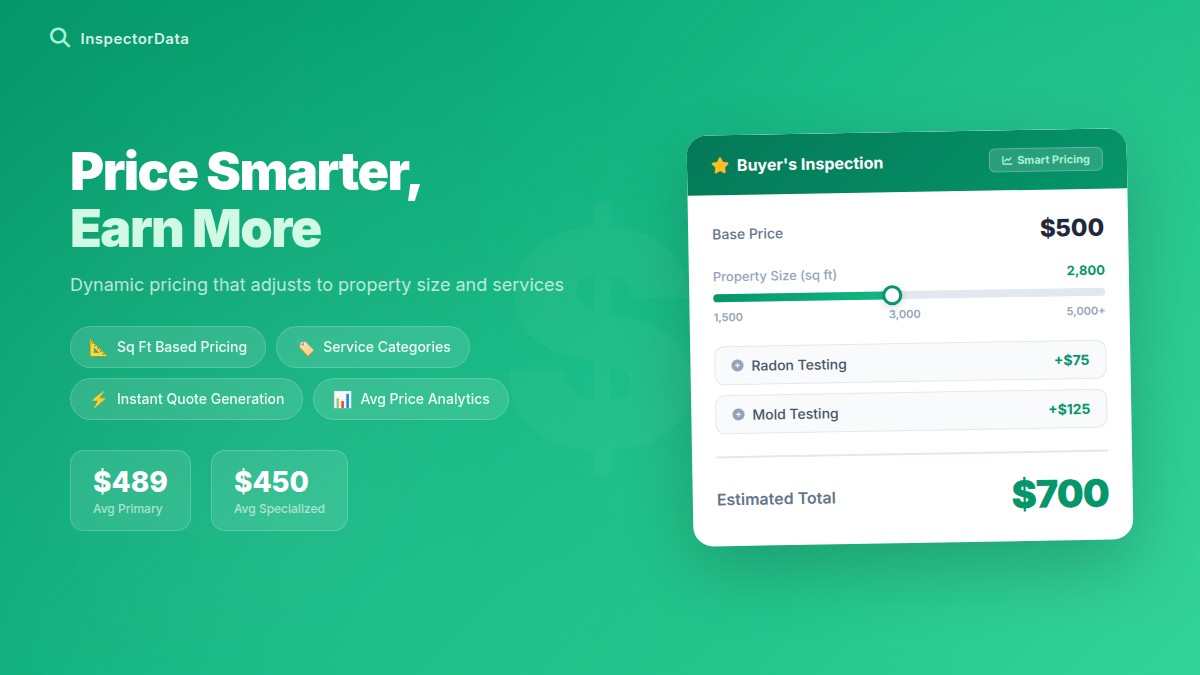
When a customer calls and asks "how much for a home inspection?" your software should give them an instant, accurate quote based on your pricing configuration, property size, service packages, and add-ons. Bonus: an embeddable quote calculator on your website that converts visitors into bookings.
9. Report Delivery with Client Portal
Emailing a PDF attachment is the 2015 approach. Modern delivery means a secure client portal where buyers, agents, and sellers can access the report with proper permissions. The report should be viewable on any device, downloadable as PDF, and shareable via a secure link.
10. Analytics and Business Dashboard
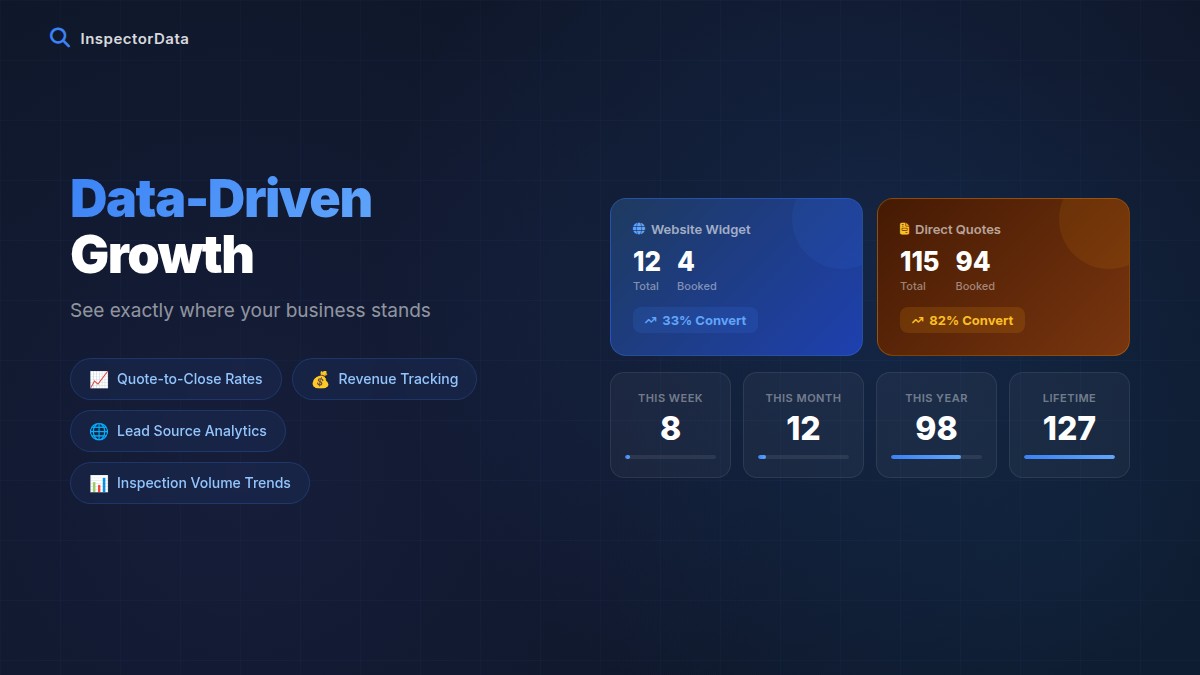
How many inspections did you do this month? What is your average revenue per inspection? Which services are most popular? Which agents are your top referrers? An analytics dashboard turns raw data into decisions. Without it, you are running your business on gut feeling.

How InspectorData Connects Everything
Here is what a single inspection looks like inside InspectorData, from lead to payment, without ever leaving the platform:
Step 1: Lead Arrives. A homebuyer visits your website and uses the instant quote calculator embedded on your page. They select the property type, square footage, and add-on services. The system calculates the price automatically using your custom pricing tiers. The buyer books directly and pays the deposit.
Step 2: Booking Confirmed. The inspection appears on your scheduling calendar with all details pre-filled: client name, agent name, property address, service package, and price. Both the client and their agent receive automatic confirmation emails.
Step 3: Agreement Sent. The agreement center automatically generates a pre-inspection agreement populated with the client's information and sends it for digital signature. The signed agreement is attached to the inspection record permanently.
Step 4: On-Site Inspection. You open the mobile app on your phone. Take photos, add voice or text notes, and the AI auto-categorizes each photo into the correct report section. Photos sync to the cloud in real-time. Works offline in basements and crawl spaces, then syncs when signal returns.
Step 5: Report Writing. Back at your desk, every photo you took on-site is already organized by category in the report writer. The AI has analyzed each photo, suggested comments, and polished your field notes into professional language. You review, edit where needed, and finalize. A 200-photo report that used to take 3 hours now takes 45 minutes.
Step 6: Delivery and Payment. One click delivers the report to the client and agent through a secure portal. The client receives a link with the remaining balance embedded. They pay, you get notified, and the transaction records automatically in your dashboard.
Step 7: Analytics Update. Your dashboard updates in real-time: revenue tracked, agent referral counted, inspection logged, calendar cleared. No manual data entry anywhere in the chain.
Feature Comparison: InspectorData vs Competitors
Here is an honest, feature-by-feature comparison of the five most commonly used home inspection software platforms in 2026. A checkmark means the feature is built into the platform natively, not available through a third-party integration or paid add-on.
| Feature | InspectorData | Spectora | HomeGauge | PalmTech | Inspector Toolbelt |
|---|---|---|---|---|---|
| AI Report Writing | Yes (Gemini + GPT) | Limited AI | No | No | No |
| AI Photo Categorization | Yes | No | No | No | No |
| AI Comment Polishing | Yes | No | No | No | No |
| Built-In Scheduling | Yes | Yes | Yes | No | Yes |
| Client + Agent CRM | Yes | Basic | Basic | No | Basic |
| Digital Agreements | Yes | Yes | Yes | No | No |
| Integrated Payments | Yes (Stripe) | Yes (Stripe) | Yes | No | No |
| Instant Quote Calculator | Yes (embeddable) | No | No | No | No |
| Mobile App | Yes (iOS + Android) | Yes (native) | Mobile companion | iPad app | Yes |
| Offline Photo Sync | Yes | Yes | Limited | Yes | Limited |
| Sewer Scope Reports | Yes (built-in) | No | No | No | No |
| Partner / Contractor Network | Yes | No | No | No | No |
| Custom Report Templates | Yes (full editor) | Yes | Yes | Yes | Yes |
| Comment Library | Yes | Yes | Yes | Yes | Yes |
| Photo Annotation | Yes (pen tool) | Yes | Yes | Yes | Yes |
| Analytics Dashboard | Yes | Yes | Basic | No | Basic |
| Multi-Tenant / Multi-Inspector | Yes | Yes | Yes | Limited | Yes |
| Weather Integration | Yes (auto-fill) | No | No | No | No |
| Flat-Rate Pricing | $79/mo | $89-139/mo | $69-99/mo + per report | $960/yr + add-ons | $49-99/mo |
The pattern is clear. Most inspection software platforms started as report writers and then added scheduling, agreements, or payments as afterthoughts. InspectorData was architected from the ground up as a business management platform that happens to write excellent reports, rather than a report writer that happens to have a basic scheduler.
Real Cost Analysis: $79 Flat vs. Stacked Subscriptions
Let us do the math on what inspectors actually pay when they piece together a multi-tool stack versus using a single all-in-one platform.
Scenario: Solo inspector doing 15 inspections per month
| Expense | Multi-Tool Stack | InspectorData |
|---|---|---|
| Report writing software | $89/mo (Spectora Pro) | $79/mo Everything included |
| Scheduling tool | $16/mo (Calendly Pro) | |
| CRM | $20/mo (basic plan) | |
| E-sign agreements | $15/mo (HelloSign) | |
| Website with booking | $23/mo (Squarespace) | |
| Accounting / invoicing | $15/mo (Wave / FreshBooks) | |
| Monthly Total | $178/mo | $79/mo |
| Annual Total | $2,136/yr | $959.88/yr |
| Annual Savings | $1,176.12 per year with InspectorData | |
That $1,176 annual savings does not include the value of time saved. If you conservatively estimate 30 minutes per day saved by eliminating manual data transfer between tools, that is roughly 180 hours per year. At a billing rate of $100 per hour, that time is worth $18,000 in potential revenue you are currently spending on administrative overhead.
What about per-report pricing?
Some platforms advertise a low base price but charge per report. HomeGauge, for example, has had per-report pricing tiers in some plans. At 15 reports per month, those per-report fees add up quickly. InspectorData charges a flat $79 per month regardless of how many reports you write. Do 10 inspections or 40 inspections -- the price does not change. This predictability matters when you are budgeting for a growing business.
The Sewer Scope + Partner Network Advantage
This is where InspectorData genuinely has no competition. No other inspection software platform includes a dedicated sewer scope reporting tool or a contractor partner network.
Built-In Sewer Scope Reports
Sewer scope inspections are one of the fastest-growing add-on services in the industry. Many inspectors either subcontract sewer work or skip it entirely because their report software does not support it. InspectorData includes a complete sewer scope report builder with pipe material documentation, defect mapping, video frame capture, and professional PDF output. This turns a $150-200 add-on into something you can offer without buying separate software.
Contractor Partner Network
When your inspection report identifies a defect, the buyer's next question is "who can fix this?" InspectorData's partner network lets you connect with local contractors who can receive file uploads, repair requests, and referrals directly through the platform. This closes the loop between "here is what is wrong" and "here is who can fix it," which adds tremendous value for your clients and generates referral revenue from contractors.
No other platform in this comparison offers either of these features. They represent revenue streams that are simply unavailable on Spectora, HomeGauge, PalmTech, or Inspector Toolbelt.

Mobile App + Desktop Integration
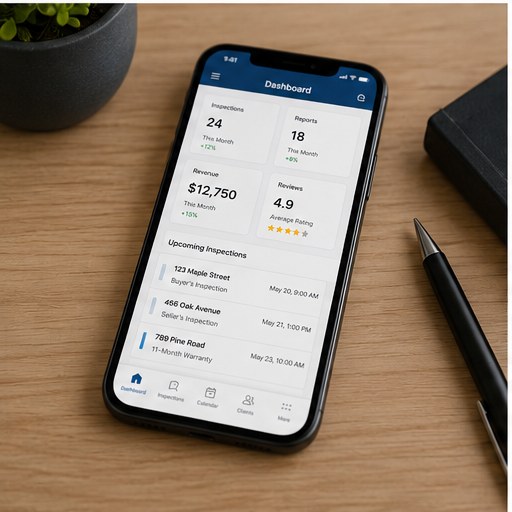
The best home inspection software in 2026 needs to work flawlessly in two very different environments: on-site (phone in your hand, crawling through an attic) and at your desk (editing reports, managing your calendar, reviewing analytics).
On-Site Mobile Experience
InspectorData's mobile app is a native app on the Apple App Store and Google Play for both iOS and Android, and it also runs in any browser. Either way, it gives you these on-site features:
- Camera integration: Take photos directly in the app with automatic GPS and timestamp metadata
- AI categorization: Each photo is automatically sorted into the correct report category (Roof, Electrical, Plumbing, etc.) as you shoot
- Voice and text notes: Add field notes to each photo instantly
- Offline mode: Full functionality in basements, crawl spaces, and rural areas with no signal. Everything syncs when you reconnect
- Photo annotation: Draw arrows, circles, and highlight defects directly on photos using the pen tool
- Auto-polish: Rough field notes like "water stain ceiling bedroom" become professional comments automatically
Desktop Report Writing
When you return to your desk, every photo you captured on-site is already organized in the report writer. The desktop experience gives you full control over:
- Drag-and-drop photo reordering within categories
- Rich text editing for every comment
- Template management with full category and subcategory customization
- AI-suggested comments that you can accept, edit, or reject
- Cover page customization with multiple layout options
- Header and footer presets for branding consistency
- One-click PDF generation and delivery
The critical advantage here is continuity. You do not export photos from a mobile app and import them into a desktop app. There is no USB cable, no Dropbox folder, no manual file management. The mobile and desktop experiences are the same platform accessing the same data.
Migration Guide: Switching from Another Platform
Switching inspection software sounds painful. It does not have to be. Here is a realistic migration timeline based on inspectors who have already made the switch to InspectorData.
Week 1: Setup and Configuration
- Create your account and configure your business profile (company name, logo, contact info, license numbers)
- Set up your service pricing and packages
- Choose or customize a report template
- Import your comment library (or start with InspectorData's built-in library)
- Configure your agreement templates
Week 2: First Live Inspection
- Install the mobile app on your phone from the App Store or Google Play
- Run your first inspection using the new workflow
- Write and deliver one report completely inside InspectorData
- Identify any template tweaks or workflow adjustments
Week 3: Full Transition
- Move all new bookings to InspectorData's scheduling calendar
- Cancel your old scheduling tool subscription
- Cancel your old agreement / e-sign subscription
- Update your website booking link to point to your InspectorData quote calculator
Week 4: Optimize and Cancel Old Subscriptions
- Fine-tune your templates and comment library based on the first few reports
- Cancel remaining old tool subscriptions
- Set up analytics tracking for revenue and referral metrics
What About My Old Reports?
Your existing reports in Spectora, HomeGauge, or other platforms remain accessible there. InspectorData also includes a PDF import tool that can extract structure from existing report templates, helping you rebuild your preferred format faster. You are not losing work by switching -- you are upgrading the tool you use going forward.
Getting Started
If you have read this far, you already know whether your current software setup is costing you more time and money than it should. The question is not whether all-in-one inspection software is the right approach. It clearly is. The question is which platform deserves your business.
Here is what sets InspectorData apart from every other option:
- AI that actually works: Not a marketing checkbox. Real AI photo categorization, comment generation, and auto-polish that cuts report writing time by 60% or more
- True all-in-one: Scheduling, CRM, agreements, payments, report writing, delivery, and analytics in one platform with one login and one monthly bill
- Flat pricing: $79 per month. No per-report fees. No surprise charges. No feature gates behind premium tiers
- Sewer scope built-in: A revenue-generating feature no competitor offers
- 30-day free trial: Three full months to test everything with real inspections before paying a cent
Stop paying for five tools that do not talk to each other. Start running your inspection business from one platform that was built specifically for how inspectors actually work.
Try InspectorData Free for 30 Days
Full access to every feature. Set up your account in 15 minutes and run your next inspection on the platform that connects your entire business.
Start Your Free Trial NowFrequently Asked Questions
Can I use InspectorData if I am a solo inspector?
Absolutely. The platform scales from solo operators to multi-inspector firms. Most of our users are solo inspectors or two-person teams.
Does InspectorData work on iPhone and Android?
Yes. Download it from the App Store on iPhone or Google Play on Android. If you would rather not install anything, it also runs directly in your browser on either platform.
What if I need help migrating from Spectora or HomeGauge?
Our support team can walk you through the migration process. Most inspectors complete the transition in under two weeks.
Is there a contract or commitment?
No contracts. Month-to-month billing. Cancel anytime. The 30-day free trial gives you plenty of time to test with real inspections before committing.
Can my agents access reports through InspectorData?
Yes. The report delivery system creates secure links that agents and clients can access anytime. Agents can view reports without needing their own account.