
Most home inspector websites are digital brochures — they list services, show some information, and do absolutely nothing to turn visitors into booked clients. The average inspector website converts at 2–4% of visitors. An optimized website converts at 8–15%. The difference, on 500 monthly visitors, is 30–55 additional inspections per year — at zero additional marketing cost.
Why Most Inspector Websites Don't Convert
Buyers visiting your website are usually in a specific, urgent moment — they just signed a purchase agreement and have 7–30 days to complete their inspection contingency. They're not browsing casually. They're ready to book. Your website fails to convert when it:
- Makes booking difficult (phone calls only, no online booking)
- Doesn't answer the first question in their mind: "Can I trust this person?"
- Is slow to load on mobile (most buyers are on phones)
- Buries pricing information (they want to know the ballpark)
- Has no social proof (reviews, certifications, experience)
- Has no clear call to action — what should they do next?
| Website Element | Low-Converting Version | High-Converting Version |
|---|---|---|
| Header CTA | "Contact Us" | "Book Your Inspection — Online in 60 Seconds" |
| Hero message | "Professional Home Inspections" | "Peace of Mind Before You Buy — [City]'s Most Trusted Inspector" |
| Social proof | No reviews shown | "4.9 Stars — 142 Verified Reviews" with star graphic |
| Booking | Phone number only | Online calendar, instant confirmation |
| About | Company history | Your face, credentials, why you do this work |
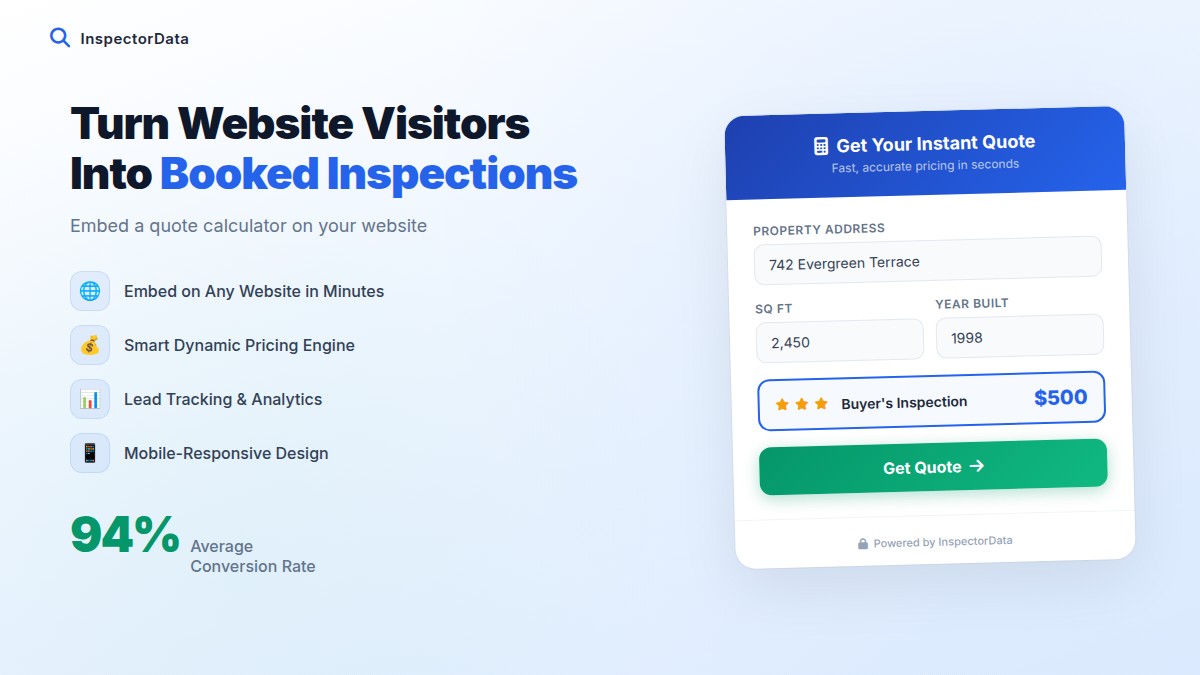
| Pricing | Hidden, must call | Starting price or instant quote calculator |
Above the Fold: Your 5-Second Test
The "above the fold" section is what visitors see without scrolling. You have approximately 5 seconds to answer three questions before visitors leave:
- What does this business do?
- Where do they operate?
- Why should I trust them?
High-Converting Header Formula
H1 Headline: "[City] Home Inspector — [Differentiator]"
Example: "Minneapolis Home Inspector — Same-Day Reports, 4.9 Stars"
Subheadline: "[Credential/experience] serving [areas] since [year]"
Example: "CMI-certified inspector serving the Twin Cities metro since 2012"
Primary CTA Button: "Book Online Now" or "Check Availability"
Trust badge row: ⭐ 4.9 Stars · 142 Reviews | CMI Certified | Same-Day Reports | 10+ Years Experience
Photo: Professional photo of YOU — not a stock image, not a house
What to Remove from Your Header
- Generic stock photos (house, magnifying glass, inspector silhouette)
- Large decorative images that slow load time
- Too many navigation menu items (5 max)
- Auto-playing videos or animations that slow mobile loading
- Phone number as the only CTA — offer online booking too
Trust Signals That Convert Skeptical Buyers
Buyers are hiring someone to examine the largest purchase of their life. They're nervous and skeptical by nature. Your website must systematically reduce that skepticism.
| Trust Signal | Conversion Impact | Implementation |
|---|---|---|
| Your professional photo | High | Header, About page, sidebar |
| Google review count + rating | Very High | Header, homepage, beside every CTA |
| CMI / ASHI / InterNACHI badge | High | Header trust bar, footer, About page |
| Years of experience | Medium | Header tagline, About page |
| Number of inspections completed | Medium | "3,200+ homes inspected" — proof of volume |
| E&O insurance disclosure | Medium-High | Services page, FAQ section |
| Sample inspection report | High | Dedicated page or PDF download |
| Specific named testimonials | High | Named clients with specific details |
| Local phone number | Medium | Header and footer — not toll-free |
The Sample Report Page
One of the highest-converting elements you can add: a sample inspection report download. When buyers see what they're getting before they book, trust skyrockets. Host a real (anonymized) report or a redacted version. Add a form to "request a sample report" and collect email addresses while you're at it.
Online Booking: The Non-Negotiable
In 2026, a home inspector website without online booking is leaving 30–40% of potential bookings on the table. Buyers don't want to call. They want to choose a time slot and be confirmed instantly — at 10pm when agents tell them to book someone.
Booking Must Haves
- Real-time availability calendar — not a "request a time" form
- Instant confirmation — email and/or text, immediately
- Service selection — home inspection, radon testing, add-ons
- Address entry — with auto-fill for accurate scheduling
- Pricing display — at least starting price or calculator
- Mobile-optimized — 60%+ of bookings happen on phones
Your Services Page Must Sell
Your services page is the second most visited page on your site. Most inspector services pages are boring lists. High-converting services pages sell the value — not just the feature.
Services Page Formula for Each Service
1. Service name + what's included — what exactly do you do?
2. Why they need it — not "what is radon" but "here's why this matters for your family"
3. What they get — professional PDF report, same-day delivery, phone walkthrough offer
4. Starting price — buyers want to know; hiding it loses trust
5. Book This Service button — CTA directly next to every service
Pricing Transparency
The most common mistake inspectors make: hiding pricing. Buyers interpret hidden pricing as "probably more expensive than I want to pay" and move on. Even showing "starting at $350" sets realistic expectations and keeps motivated buyers engaged.
The About Page That Builds Trust
Your About page is one of the most-visited pages on an inspection website. Buyers want to know who they're hiring. A weak About page is a conversion killer.
About Page Structure
- Professional photo — large, approachable, at-work context
- Personal story — why did you become an inspector? What drives your thoroughness?
- Credentials — certifications, years of experience, training, ongoing education
- Your inspection philosophy — what makes your approach different?
- Personal details (optional) — local ties, family, what you do outside work — makes you human
- CTA — "Book an Inspection" at the bottom of About, always
Basic SEO Every Inspector Website Needs
| SEO Element | What to Do | Example |
|---|---|---|
| Title tag | City + "Home Inspector" + company name | "Chicago Home Inspector | Smith Home Inspections" |
| Meta description | Action-oriented, includes city | "Trusted Chicago home inspector. CMI certified. Same-day reports. Book online in 60 seconds." |
| H1 tag | Location + service keyword | "Chicago Home Inspection Services" |
| Alt text for images | Descriptive with city/service keywords | "Chicago home inspector examining electrical panel" |
| Page speed | Under 3 second load on mobile | Compress images, use fast hosting |
| Schema markup | LocalBusiness + Service schema | JSON-LD on homepage |
Website Conversion Audit Checklist
Use this checklist to audit your current site. Score each item 0 (not done), 1 (partially done), or 2 (fully done). Target 30+/36.
| Element | Score (0–2) |
|---|---|
| Professional photo of ME is prominent on homepage | |
| Google review count + rating visible above the fold | |
| Online booking available (not just phone) | |
| Clear H1 with city name included | |
| Certifications displayed (CMI/ASHI/InterNACHI badge) | |
| Starting pricing or instant quote visible | |
| Sample inspection report available | |
| Mobile load time under 3 seconds | |
| HTTPS / SSL certificate active | |
| Named testimonials with specific details | |
| Services page has individual CTAs per service | |
| About page tells personal story + credentials | |
| Phone number clickable on mobile | |
| NAP (name, address, phone) visible in footer | |
| Google Maps embedded on contact page | |
| E&O insurance mentioned | |
| Years of experience / inspections completed stated | |
| City service area pages exist |
Give Your Website the Booking Engine It Deserves
InspectorData includes professional online booking, automated confirmations, and instant quote calculators — everything your website needs to convert visitors into booked clients. Set it up once and let it work for you around the clock.
Try InspectorData Free for 30 DaysSet up in 10 minutes.